How to see your clipboard history on a Mac
You copied a link an hour ago. Now you need it — and it's gone, replaced by whatever you copied since. Here's what the Mac clipboard actually keeps, how to view it, and how to get a real, searchable history of everything you copy.
The Mac clipboard holds exactly one item
Every time you press ⌘ C, macOS replaces the previous clipboard contents — silently, with no warning and no undo. Copy a paragraph you spent twenty minutes writing, then absent-mindedly copy a URL, and the paragraph is gone. There's no stack, no list, no history: one slot, last write wins.
Most people discover this the painful way — the moment of pressing ⌘ V and watching the wrong thing appear.
How to view the clipboard on a Mac (the built-in way)
macOS does have a way to peek at the clipboard: switch to the Finder, then choose Edit → Show Clipboard. A small window opens showing the clipboard's current contents.
Note what it shows: the current item, and nothing else. It's a viewer, not a history — there's no way to scroll back to earlier copies, no search, and for some content types you'll just see a placeholder rather than a proper preview.
Universal Clipboard — copying on your iPhone and pasting on your Mac — follows the same rule: it hands off the single most recent item. Helpful, but it doesn't remember anything either.
The short answer: macOS has no built-in clipboard history. Unlike Windows (⊞ V), there is no native picker of past copies — Show Clipboard only displays the latest item. For history, you need a clipboard manager.
What a clipboard manager does
A clipboard manager watches the clipboard and keeps every item you copy in a running list, so a copy is never destructive again. The good ones share a few traits:
- Keyboard-first — one shortcut opens the history, arrow keys or typing picks an item; your hands never leave the keyboard.
- Searchable — you find that link from this morning by typing a fragment of it, not by scrolling.
- Real previews — you can tell the hex color from the address from the code block at a glance.
- Flow-preserving — picking an item should put it on the clipboard and get out of your way, ready to paste.
Your clipboard history in Spud
Spud is a menu-bar workspace manager for macOS, and clipboard history is one of its core tools. With Spud running, everything you copy is kept automatically. Press ⌃ Space to open the panel, switch to the Clipboard tab, and your history is right there — newest first, searchable.
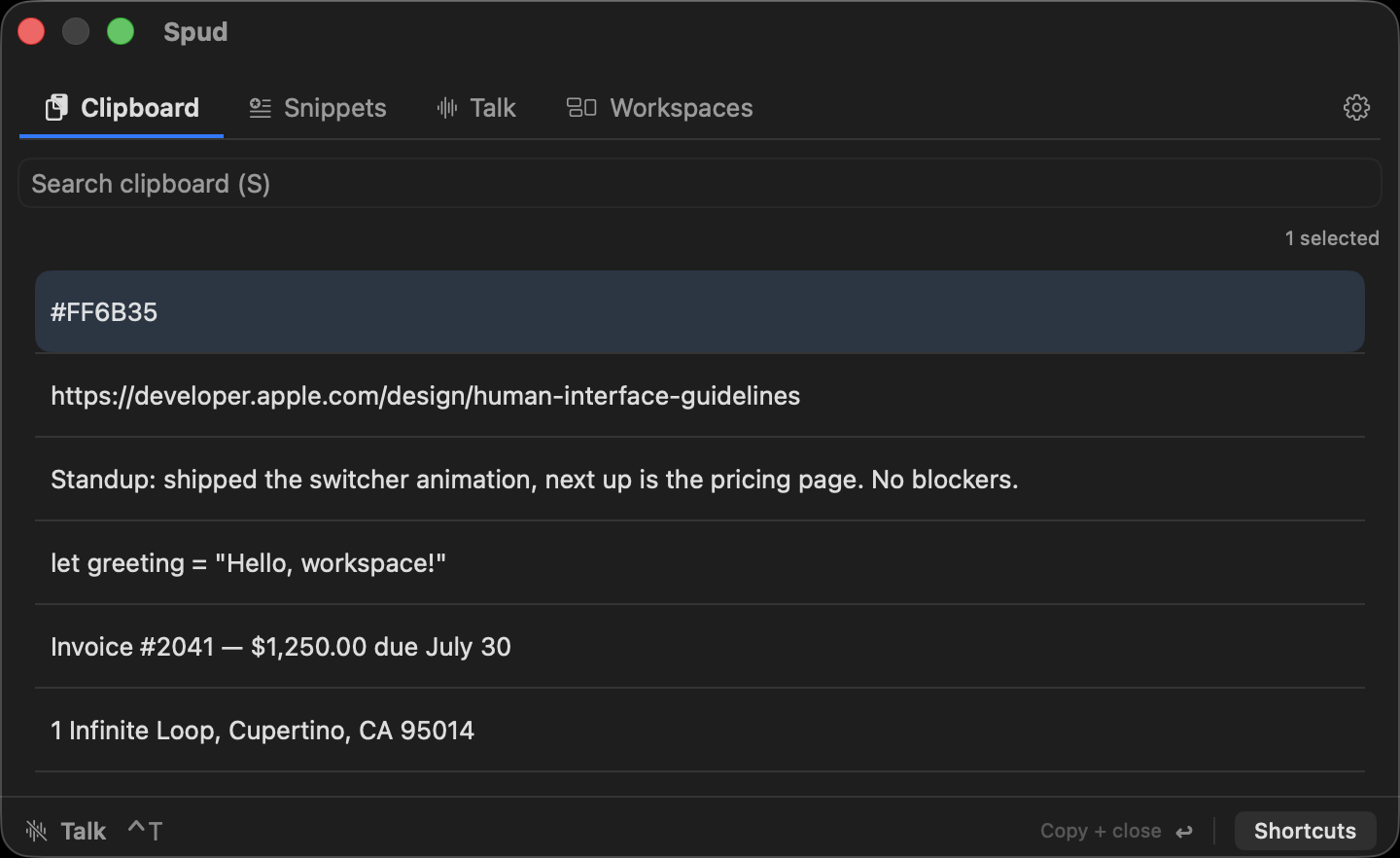
Type to filter — a few characters of the URL, the color code, the person's name — hit Return, and Spud copies your pick and closes the panel. You're back in your document, ⌘ V ready, without ever touching the mouse. Pasting something from an hour ago stops being an archaeology project and takes about two seconds.
Spud's free tier keeps your last 10 copies; Spud Pro keeps your full clipboard history.
Bonus: stop re-copying the permanent stuff
Some things you paste every week aren't really "history" — your address, an email intro, the standup template. Fishing them out of a clipboard list over and over is the wrong tool. Spud has snippets for these: save the text once, and it lives in the same ⌃ Space panel, one search away, forever. Free includes 5 saved snippets; Pro makes them unlimited.
Frequently asked questions
Is there a keyboard shortcut for clipboard history on a Mac?
Not natively — macOS has no clipboard-history shortcut at all. With Spud installed, ⌃ Space opens the panel with your searchable clipboard history a tab away.
Does ⌘⇧V show clipboard history on a Mac?
No. Shift-modified paste shortcuts vary by app (often "paste and match style"), but none of them open a history — macOS keeps only the single most recent copy.
How do I see what's currently on my clipboard?
In the Finder, choose Edit → Show Clipboard. It displays the current item only — for anything older, you'll need a clipboard manager that was running when you copied it.
How much history does Spud keep?
The free tier keeps your last 10 clipboard items. Spud Pro ($4.99/month) keeps your full history — and every download starts with a free 10-day Pro trial, no card required.